

How to Use the Portfolio Page
Managing Your Portfolio
The Portfolio Page on Blanket helps you track, analyze, and manage all your investments in one place. Whether you're managing individual stocks or following model portfolios, this guide will help you make the most of portfolio features.
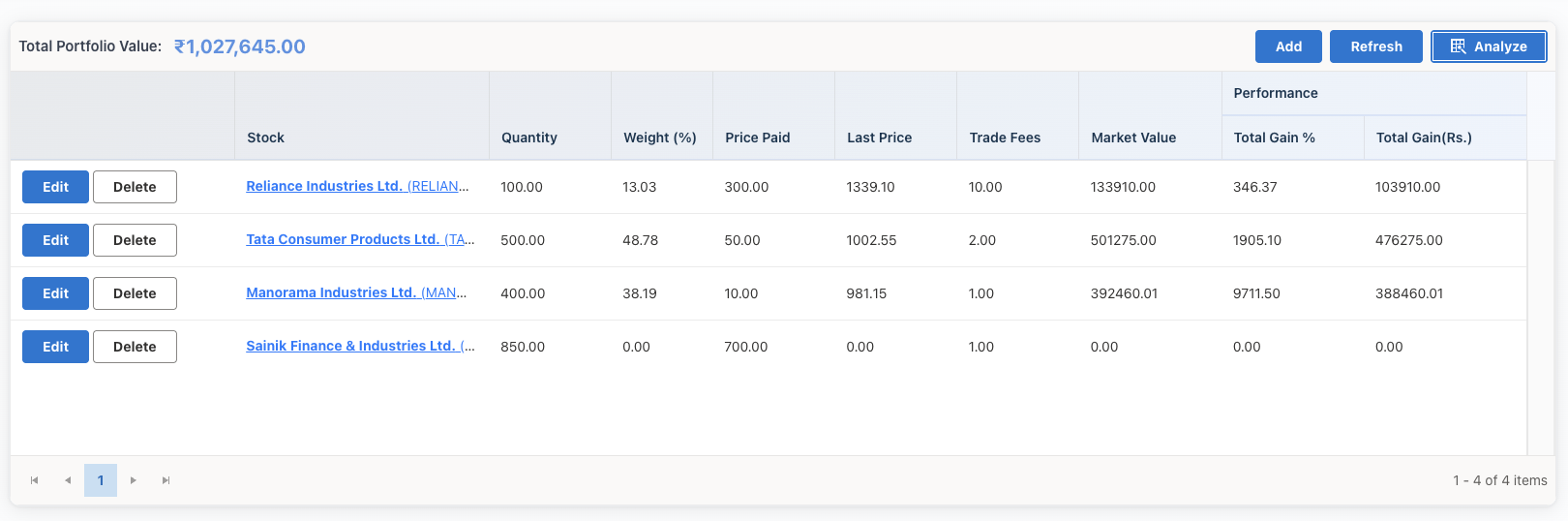
Creating a Portfolio
Step 1: Access Portfolio Section
Navigate to the Portfolio menu item in the main navigation.
Step 2: Create New Portfolio
Click the "Create Portfolio" button and provide:
- Portfolio name
- Description (optional)
- Initial investment amount (optional)
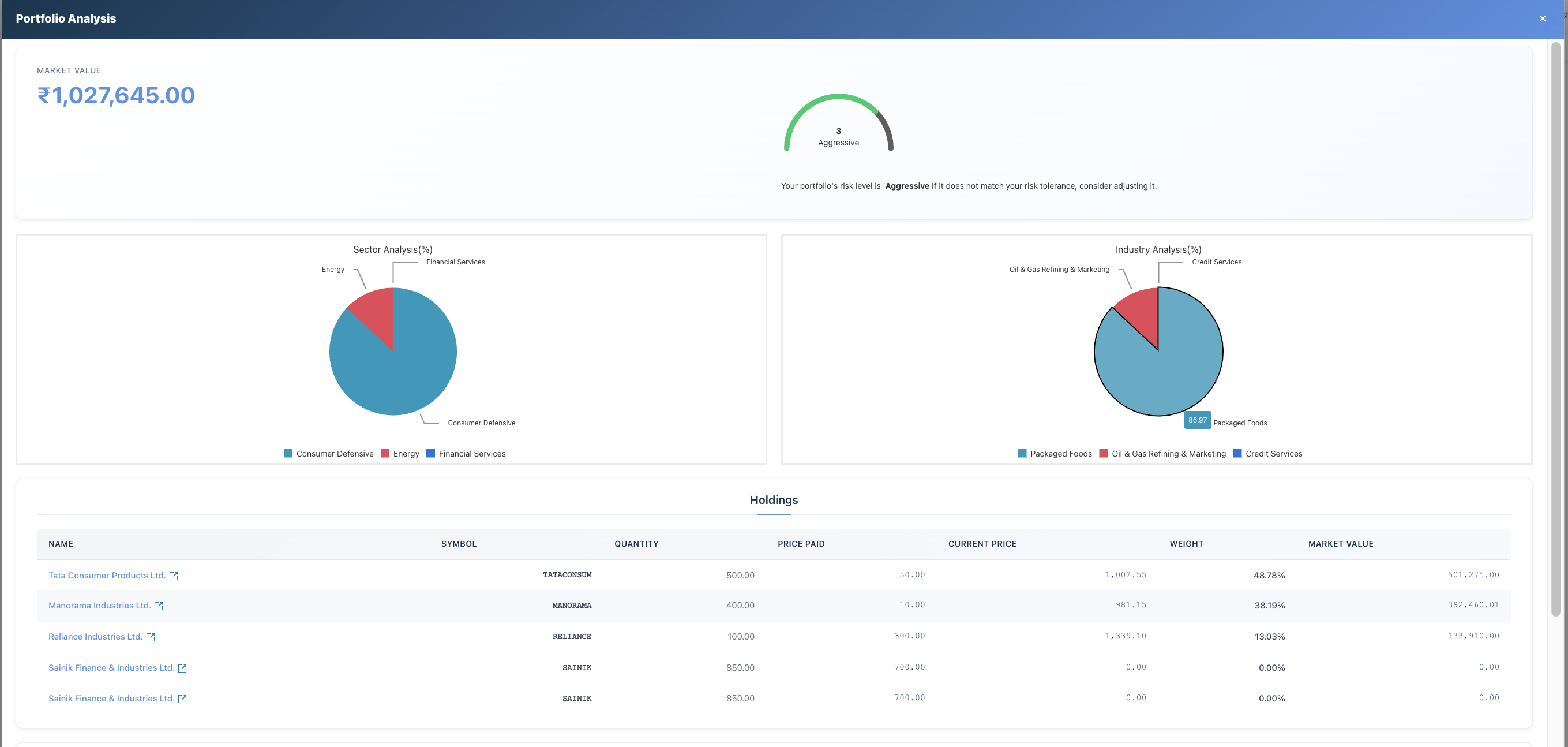
Adding Stocks to Your Portfolio
Method 1: Manual Entry
- Open your portfolio
- Click "Add Stock"
- Search and select the stock
- Enter quantity and purchase price
- Save the entry
Method 2: From Stock Page
- Navigate to any stock page
- Click "Add to Portfolio"
- Select which portfolio to add it to
- Enter quantity and purchase details
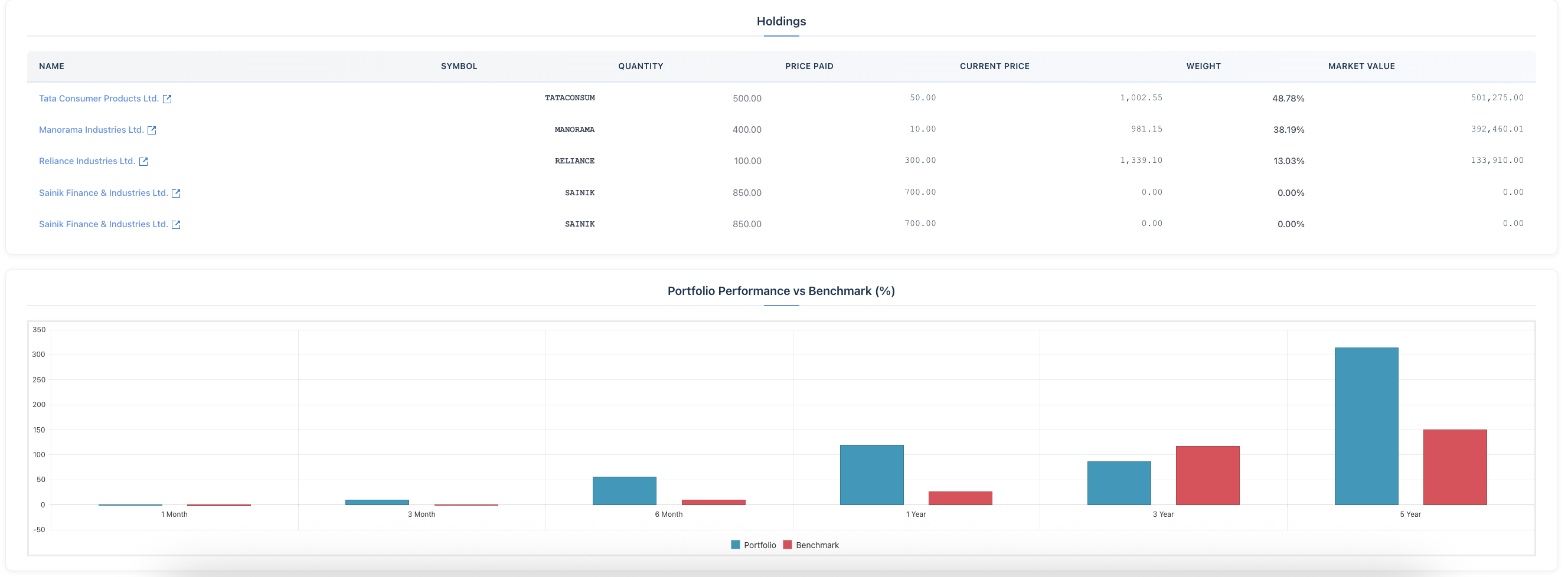
Portfolio Dashboard
The portfolio dashboard shows:
- Total Value - Current market value of all holdings
- Total Investment - Amount you've invested
- Total Gain/Loss - Absolute and percentage returns
- Portfolio Allocation - Sector and stock-wise distribution
Portfolio Analysis Features
Performance Tracking
- View returns over different time periods
- Compare portfolio performance to benchmarks
- Track individual stock performance
Allocation Analysis
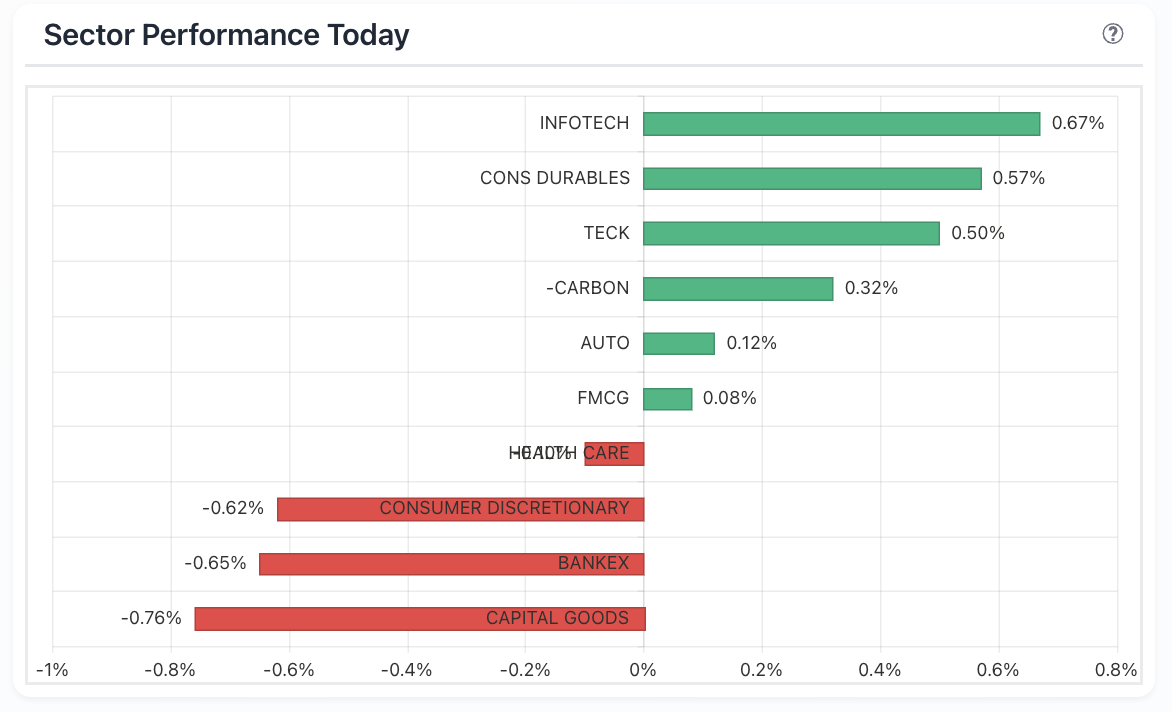
- Sector Allocation - See how your portfolio is distributed across sectors
- Stock Allocation - Individual stock weight in your portfolio
- Risk Distribution - Understand overall portfolio risk
Portfolio Health
- Average Pulse Rating - Overall quality of your holdings
- Risk Assessment - Overall portfolio risk level
- Diversification Score - How well-diversified your portfolio is
Editing and Managing
Update Holdings
You can edit any stock entry to:
- Update quantity
- Adjust purchase price
- Add additional purchases
- Record sales
Remove Stocks
Remove stocks from your portfolio when you've sold them or want to stop tracking them.
Model Portfolios
Blanket also offers three model portfolios you can follow:
- 🐢 Kurma Portfolio - Conservative strategy
- 🕊️ Hansa Portfolio - Balanced strategy
- 🦅 Garuda Portfolio - Aggressive strategy
You can view these portfolios and use them as reference for building your own.
Best Practices
- Regularly update your portfolio with new purchases and sales
- Review allocation to ensure proper diversification
- Monitor portfolio health metrics regularly
- Compare your portfolio performance to relevant benchmarks
- Use the Pulse Rating to assess overall portfolio quality